AI-Assisted Mindfulness: 7-Day Calm & Focus Routine
Modern life pulls attention in dozens of directions—notifications, open tabs, endless feeds, and constant context switching. A mindful routine doesn’t have to mean “more willpower.” With the right structure, small check-ins and short practices can fit into real schedules, and AI can help simplify planning, reduce decision fatigue, and support consistency. This guide maps out a calm, tech-aware approach using an AI-assisted mindfulness eBook, a digital wellness checklist, and a routine planner that can be downloaded and used immediately.
What “AI-assisted mindfulness” means (and what it doesn’t)
AI-assisted mindfulness is best understood as a support layer—something that helps you set up a practice you’ll actually do, even on busy days. It can organize routines, generate options when you’re tired of deciding, and keep practices short and doable.
- AI as a support tool: helps organize your routine, suggest practice ideas, and reduce “what should I do today?” friction.
- Mindfulness stays human-centered: awareness, breath, attention, and choice come from you—AI can’t replace lived experience.
- Great use-cases: personalized practice ideas, scheduling, reflection prompts, and checklists that remove small obstacles.
- Not a substitute for clinical care: for significant anxiety, depression, trauma, or sleep disorders, professional support may be appropriate (the World Health Organization has a helpful overview of mental health support and why it matters).
Why digital wellness matters for calm and focus
Mindfulness isn’t only about meditation time—it’s also about the environment your attention has to live in. Digital habits can either support calm and focus or quietly train your brain toward reactivity.
- Attention fragmentation: constant checking reinforces distraction and makes deep focus harder to access.
- Stress loops: urgency cues, doomscrolling, and late-night screen use can raise tension and interfere with wind-down routines.
- Mindful tech boundaries: small changes—notification hygiene, app limits, screen-free buffers—reduce triggers before they hit.
- Consistency over intensity: short daily practices often beat occasional long sessions for building a stable habit.
For a research-grounded overview of how mindfulness supports stress reduction, the American Psychological Association and NCCIH provide accessible summaries.
What’s included in the Mindfulness Upgraded with AI download
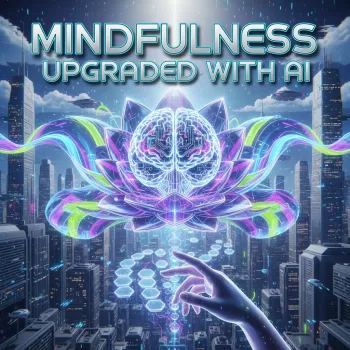
If you want a low-friction setup—something you can open, follow, and repeat—the Mindfulness Upgraded with AI (digital guide, checklist, and routine planner) is built around short practices and practical screen boundaries that fit real schedules.
- A digital mindfulness guide designed for busy days and real-world distractions.
- AI-assisted meditation and focus support: ready-to-use frameworks to tailor practice length, tone, and goals.
- A calm living checklist for digital wellness: quick wins for notifications, device boundaries, and recovery time.
- A mindful routine planner to build a morning reset, midday re-center, and evening wind-down.
- Instant-download format: easy to save to your phone/tablet or print for a low-effort habit setup.
For a deeper “why” behind your routines, pairing mindfulness with values can make boundaries easier to keep. How to Use AI to Discover Your Personal Values supports that clarity so your screen rules feel aligned, not restrictive.
A simple 7-day mindful routine that fits a digital lifestyle
The goal for week one is not a perfect routine—it’s a repeatable one. Start with a “minimum viable practice” (2–5 minutes) and tie it to cues you already have: first coffee, opening the laptop, lunch break, and end-of-day shutdown.
| Day | Morning (2–5 min) | Midday (1–3 min) | Evening (3–8 min) | Digital wellness focus |
|---|---|---|---|---|
| Day 1 | Breath count 10 cycles | Name the moment (1 word feeling) | Body scan (head to toe) | Turn off non-essential notifications |
| Day 2 | 3 senses check (see/hear/feel) | Shoulders + jaw release | Low-stim wind-down (dim screens) | Set a 20-minute social app window |
| Day 3 | Intention statement (1 sentence) | 1-minute mindful walk | Gratitude (3 bullets) | No-phone meals (one meal) |
| Day 4 | Box breathing (4-4-4-4) | Single-task reset (close extra tabs) | Calm music + slow breathing | Move distracting apps off home screen |
| Day 5 | Kindness phrase (to self) | Micro-meditation before replying | Stretch + scan for tension | Check email at set times only |
| Day 6 | Mindful tea/coffee (first 5 sips) | Grounding (feet on floor) | Reflect: what drained energy today? | Add a screen-free buffer before bed |
| Day 7 | Choose your best practice from week | 2-minute recharge break | Plan next week’s 3 anchor sessions | Review app usage and adjust one rule |
Ways to use AI to reduce stress without adding more screen time
Common obstacles and how the planner helps
Getting started in 10 minutes
- Download and save Mindfulness Upgraded with AI somewhere easy to open (phone, tablet, or print).
- Pick one daily anchor time (morning or evening) and one digital boundary to test for 7 days.
- Choose one short practice (2–5 minutes) and repeat it daily to build automaticity.
- Use the checklist to remove one high-friction trigger (notifications, late-night scrolling, too many apps on the home screen).
- On Day 7, keep what worked and simplify what didn’t.
FAQ
Is this suitable for beginners who have never meditated?
Yes. The routines are built around short, simple practices (breath, senses, grounding) and a planner/checklist structure that removes guesswork, so it’s easier to start and stay consistent.
Does AI-assisted mindfulness mean sharing personal data?
No. AI can be used with minimal detail by keeping requests general and avoiding sensitive information; the download itself is a digital guide and planner you can use privately, including offline if you prefer.
How quickly can results show up—calm, focus, better screen habits?
Small shifts can show up within days (less reactive checking, more intentional pauses), while bigger changes often build over 1–3 weeks of steady practice. Tracking just minutes practiced and one “small win” helps you notice progress without overcomplicating it.





Leave a comment