65W 30000mAh USB-C PD Power Bank: Laptop-Ready Guide
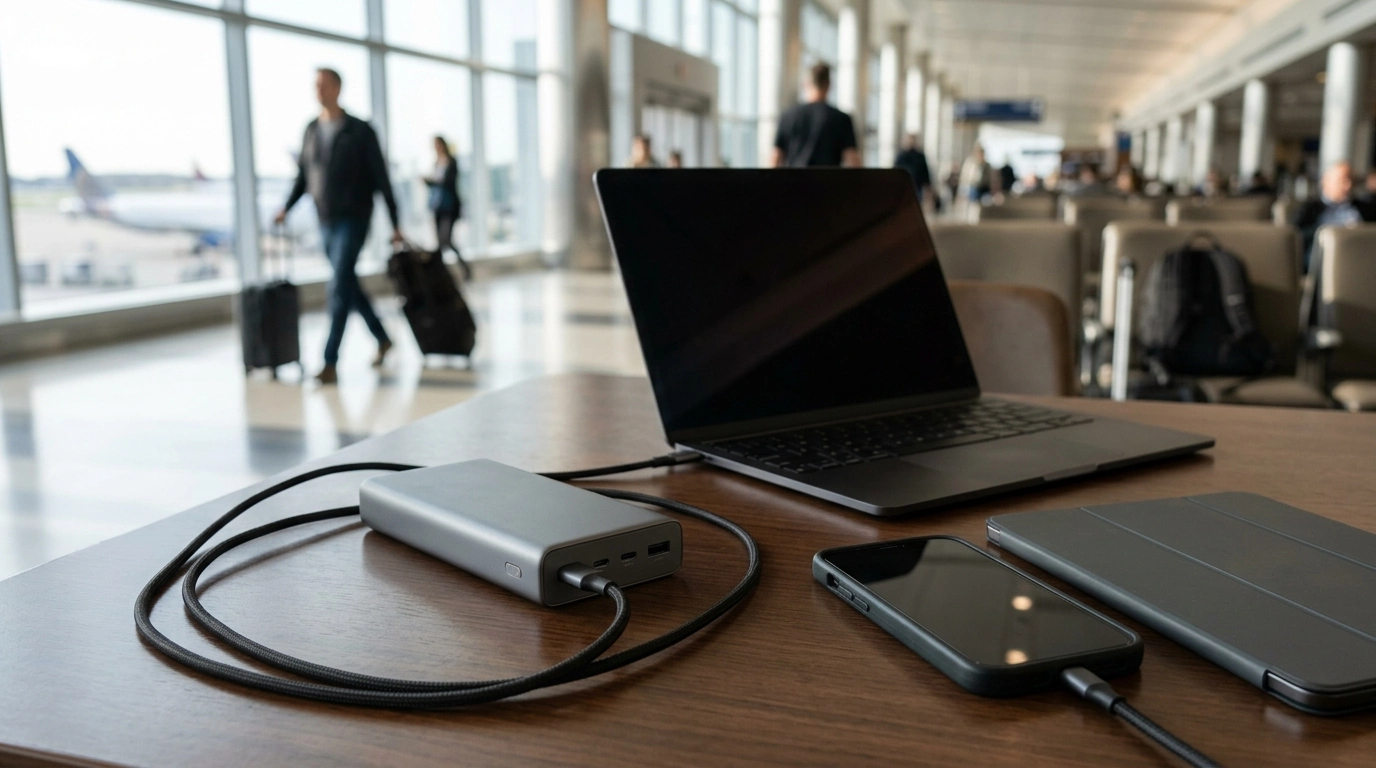
A high-output USB-C PD power bank can keep a laptop running through meetings, top up a tablet on travel days, and fast-charge a phone between stops. This guide explains what 65W USB-C Power Delivery and a 30000mAh capacity mean in real use, how to match ports and cables to devices, and how to charge safely and efficiently on the go.
What 65W USB-C Power Delivery actually enables
“65W USB-C PD” is the difference between a power bank that’s mainly for phones and one that can credibly support many USB-C laptops. USB Power Delivery (PD) is a negotiated standard: your device and the power bank agree on a voltage and current level, then the bank supplies that profile as long as the cable and port support it. (For the standard itself, see the USB-IF USB Power Delivery documentation.)
- Supports higher-wattage charging profiles needed by many USB-C laptops, not just phones and tablets.
- Better for maintaining laptop battery level during light-to-moderate workloads (documents, browsing, calls) than low-watt banks.
- Useful for fast charging tablets and phones that negotiate higher PD power levels.
- Charging speed depends on the device’s maximum supported input, the port used, and the cable rating.
Capacity in practice: understanding 30000mAh
“30000mAh” is measured at the power bank’s internal battery voltage, not the voltage your devices use (5V, 9V, 15V, or 20V). When the bank converts power to higher voltages for USB-C PD (or to 5V for USB-A), some energy is lost to conversion and heat. That’s normal—and it’s why real-world results are always lower than the headline number.
- mAh is measured at the internal battery voltage; usable energy at 5V/9V/20V is lower after voltage conversion.
- Expect some efficiency loss from heat and conversion (typical real-world range varies by load and temperature).
- Best outcomes come from charging devices in fewer, larger sessions instead of many tiny top-ups.
- For laptops, watt-hours (Wh) is the most direct way to compare; 30000mAh-class banks are commonly near typical airline limits depending on design.
Real-world expectations (typical ranges, varies by device and settings)
| Device type | Typical battery size | What a 30000mAh-class PD bank often delivers |
|---|---|---|
| Smartphone | 10–20Wh | About 3–6 full charges |
| Tablet | 25–40Wh | About 1.5–3 full charges |
| USB-C laptop | 45–70Wh | About 0.6–1.3 full charges or several hours of runtime support |
Port and cable matching: the hidden performance bottleneck
Even with a 65W bank, the cable and port you choose can quietly cap performance. A cable rated for 60W may be enough for many ultrabooks, but a 100W-rated cable adds compatibility headroom—especially for devices that prefer 20V profiles or for future upgrades.
- Use a USB-C to USB-C cable rated for the intended wattage (60W or 100W) to avoid slow charging or intermittent power.
- If the power bank has multiple outputs, maximum wattage may be available only on a specific USB-C PD port.
- When charging multiple devices at once, total power can be split, reducing laptop charging speed.
- For best laptop results, prioritize the highest-watt USB-C PD port and keep other devices on secondary ports.
Using a 65W power bank with laptops
A 65W PD power bank is a strong match for many ultrabooks and USB-C-charging laptops, especially when the goal is “stay productive” rather than “charge from 0 to 100 fast.” If your laptop can charge at 45–65W, you’ll typically see stable charging or steady battery maintenance during lighter work.
- Many ultrabooks charge comfortably at 45–65W; larger laptops may draw more and charge slowly or only maintain battery.
- If a laptop reports “slow charger,” it is usually due to the laptop requesting more power than the bank can provide or a cable limitation.
- For stable charging during video calls or presentations, connect before battery gets critically low to reduce peak demand.
- Enable power-saving modes to extend runtime when running from an external bank.
For MacBooks and iPads that use USB-C, adapter and charging behavior can vary by model; Apple’s charging basics are a helpful reference point (Apple Support).
Using it with tablets and smartphones
Charging the power bank efficiently
Travel and safety considerations
For flights, airlines commonly reference watt-hours (Wh) limits for lithium batteries, and power banks typically must be carried in your carry-on bag. Before you travel, confirm your carrier’s policy and keep the bank accessible for inspection if needed. The FAA’s guidance is a solid starting point (FAA: Pack Safe — Batteries, lithium).
Quick fit check: who benefits most from 65W and 30000mAh
Product options available now
- 65W 30000mAh PD Power Bank for Laptops, Tablets & Smartphones
- Coding with Confidence in the Age of AI – Ultimate Digital Guide for Developers
- How to Use AI to Plan Family Activities
At-a-glance
| Item | Key spec | Price | Availability |
|---|---|---|---|
| 65W 30000mAh PD Power Bank for Laptops, Tablets & Smartphones | 65W USB-C PD, 30000mAh class capacity | $97.01 | In stock |
FAQ
Will a 65W power bank charge any USB-C laptop?
Many USB-C laptops will charge, but not all. Results depend on the laptop’s supported USB-C PD input profiles, whether it accepts charging over USB-C, and whether your cable supports the wattage the laptop requests.
How many times can a 30000mAh power bank charge a phone or tablet?
In typical real-world use, phones often get about 3–6 full charges and tablets about 1.5–3. Actual totals vary with battery size (Wh), conversion losses, and heat or fast-charging behavior.
Can this be taken on an airplane?
It depends on the power bank’s watt-hour (Wh) rating and your airline’s policy. Most airlines require power banks in carry-on baggage and set limits for large lithium batteries, so confirm before you fly.






Leave a comment