AI Room Makeover Guide: Plan Layout, Color & Shopping Fast

AI-Powered Room Makeover: A Practical Digital Guide for Refreshing Any Space
A room makeover doesn’t need a full renovation, a big budget, or weeks of decision fatigue. With an AI-assisted planning flow, a clear checklist, and a simple virtual layout process, it becomes easier to define a style direction, map furniture placement, choose a color palette, and build a shopping plan that fits the space you actually have.
What an AI-assisted makeover process looks like
The fastest makeovers aren’t random upgrades—they’re small, coordinated decisions made in the right order. An AI-assisted approach helps you compare options quickly, then commit to the pieces and changes that move the room forward.
- Start with a clear goal: calm, brighter, cozier, more functional, more storage, or better flow.
- Capture the room as it is: photos in daylight and at night, plus quick notes on what feels “off.”
- Feed consistent inputs: room dimensions, existing pieces to keep, preferred colors, and lifestyle needs (pets, kids, work-from-home).
- Iterate quickly: generate multiple style directions and compare what repeats across the best options.
- Translate inspiration into action: prioritize layout, lighting, and anchor pieces before decorative details.
Room makeover workflow (fast path vs. thorough path)
| Step | Fast path (30–60 min) | Thorough path (half day) |
|---|---|---|
| Measure & capture | Basic room length/width + 4 photos | Full dimensions, door/window placements, ceiling height, 8–12 photos |
| Style direction | Pick 1 mood + 1 palette | Compare 3 moods + refine palette and materials |
| Layout | Test 1 layout in a virtual planner | Test 2–3 layouts, check walkways and sightlines |
| Lighting | Swap bulbs + add 1 lamp | Layer ambient/task/accent, confirm bulb color temperature |
| Shopping plan | Buy 1–3 high-impact items | Create phased plan: essentials first, upgrades later |
Prep: measurements, constraints, and “keep” items
Before colors and decor, lock in the non-negotiables. This step prevents the most common mismatch: buying items you love that don’t actually work in the room.
- Measure walls, window widths, and key clearances (door swing, radiator clearance, closet access).
- List constraints: rental restrictions, limited outlets, low natural light, or high-traffic zones.
- Decide what stays: favorite sofa, a rug that must fit, heirloom pieces, or functional storage.
- Identify friction points: clutter hotspots, awkward corners, glare on screens, or narrow pathways.
- Set a realistic spend range and a timeline (same-day refresh vs. phased upgrades).
If kids or pets use the space, add safety and durability notes too—especially for tall furniture. Tip-over prevention guidance from the U.S. CPSC Anchor It! program is a smart reference when you’re rearranging bookcases and dressers.
Define your style direction with simple inputs
A clear style direction isn’t about labels—it’s about making future decisions faster. Once your “rules” are set, it’s easier to shop, edit, and say no to almost-right items.
- Choose 3–5 style descriptors (examples: warm minimal, modern cozy, airy coastal, dark academic, soft Scandinavian).
- Pick a palette structure: neutral base, one main accent, and one “tiny pop” color.
- Select a material mix to keep decisions consistent: wood tone, metal finish, fabric texture, and a repeating pattern scale.
- Use a “do-not-buy” list to avoid common regrets (too-small rug, trendy chair that doesn’t fit, harsh bulbs).
- When AI outputs feel inconsistent, anchor choices by function first: seating comfort, storage volume, and lighting needs.
For quick clarity, try this simple filter: if an item doesn’t help comfort, storage, or light, it can wait until the room feels stable.
Layout planning: the fastest way to make a room feel new
Layout is the “invisible makeover.” You can keep the same furniture and still get a dramatic improvement if the room finally flows.
- Start with the largest piece: sofa/bed/dining table placement should define the room’s zones.
- Keep walkways comfortable: maintain clear paths to doors, closets, and frequently used storage.
- Create a focal point: window view, media wall, fireplace, or a simple art/console vignette.
- Balance visual weight: distribute tall items (bookcases, lamps, plants) so one corner doesn’t feel heavy.
- If space is tight, prioritize multi-use pieces (storage ottoman, nesting tables, wall shelves).
One practical test: stand at the entry and trace the path you naturally take to sit down, open drawers, or reach your favorite storage. If you have to “shimmy,” rotate, or detour, the layout—not the decor—is the real problem.
Lighting and color: small changes with outsized impact
For bulb efficiency and options, the ENERGY STAR light bulb guide is a helpful baseline. If you’re painting or refinishing, review the U.S. EPA indoor air quality overview for practical steps to reduce exposure to indoor pollutants.
Finish with texture, storage, and a repeatable styling system
What’s included in the digital room makeover guide
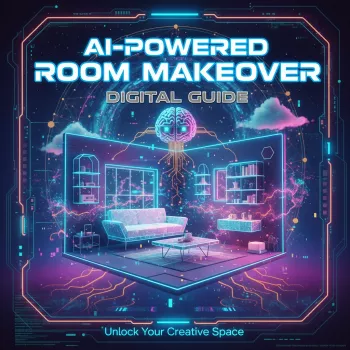
For a ready-to-use walkthrough, see AI-Powered Room Makeover (instant download).
Best fits: who this guide helps most
More AI guides you might like
- How to Use AI to Plan Family Activities for simple, low-stress planning that actually fits your week.
- Coding with Confidence in the Age of AI for building practical skills with modern AI-powered tools.
FAQ
What do you need before starting a room makeover plan?
You’ll get the best results with basic measurements, a few well-lit photos, a list of items you’re keeping, any constraints (rental rules, outlets, lighting limits), and one clear goal like “more storage” or “cozier lighting.”
Can a virtual room planner help avoid buying the wrong size furniture?
Yes—testing layouts with real dimensions helps confirm clearances, walkways, and door swings while you compare rug, sofa, and table sizes before purchasing.
How long does a realistic room refresh take using a checklist approach?
A quick refresh can take a few hours when you prioritize layout, lighting, and one anchor change. Phased upgrades (paint, larger furniture swaps, storage systems) typically take days or a few weeks as items arrive and you refine choices.






Leave a comment