Surround Sound Gaming Headset Guide: Setup & Tuning
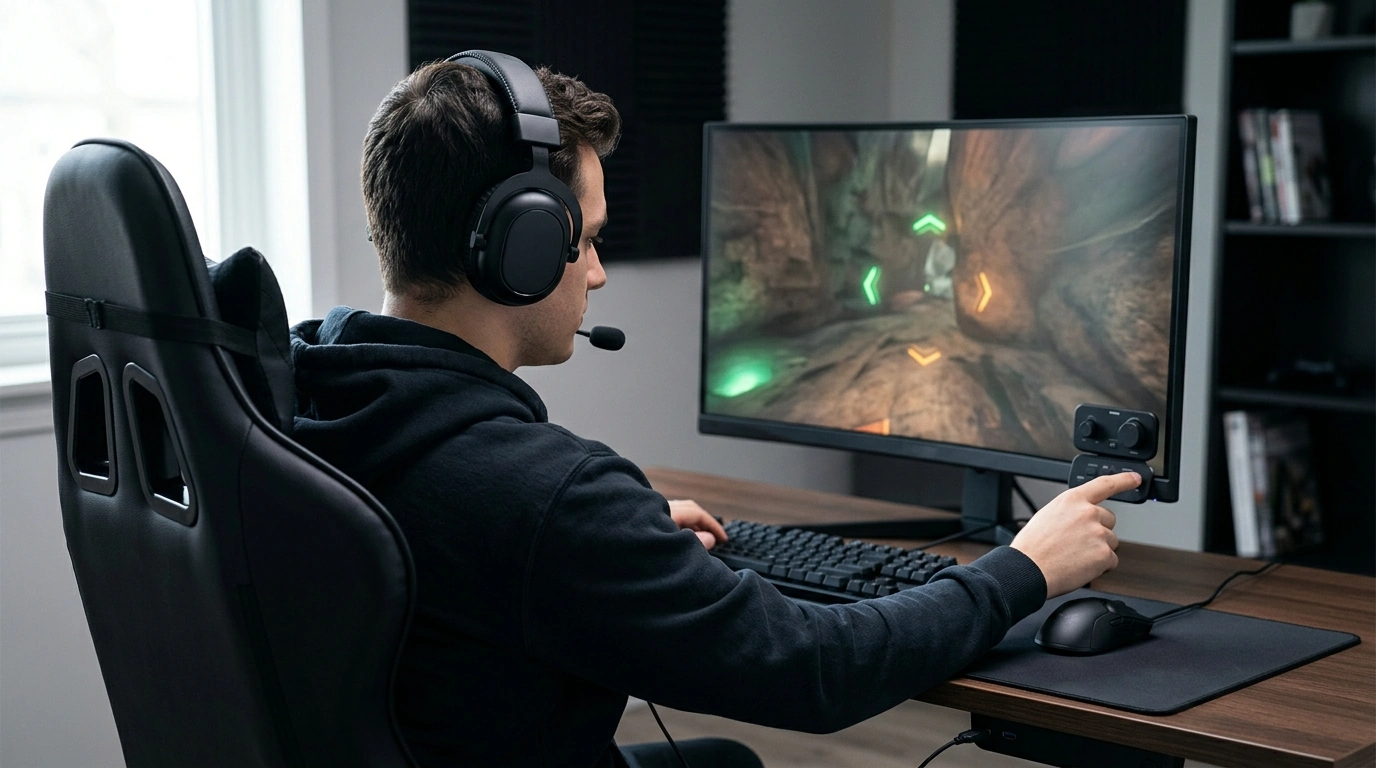
Surround Sound Gaming Headset: Immersive Audio for Competitive and Casual Play
A surround sound gaming headset can make footsteps easier to place, explosions more dimensional, and long sessions more comfortable—without needing a full speaker setup. This guide breaks down what surround sound means in headsets, what to look for, how to set it up on popular platforms, and how to keep audio and mic performance consistent over time. For more guidance, see The 6 Best Gaming Headsets of 2026 – RTINGS.com.
What “surround sound” means in a headset
Most gaming headsets labeled “surround” use virtual surround: software processing that turns a normal stereo signal into a more speaker-like presentation. Instead of relying on multiple physical drivers per ear, the headset (or your console/PC) applies filters to simulate sound arriving from different directions. For further reading, see Jeecoo J100 Pro Gaming Headset – 7.1 Surround Sound ….
- Virtual surround: processing that simulates multiple speaker positions using standard stereo drivers.
- Hardware considerations: driver quality, tuning, and the earcup seal often matter more than the number of “channels” listed on the box.
- Spatial audio on consoles/PC: platform-level options can work with many headsets, including formats like Dolby Atmos or DTS Headphone:X.
- When it helps most: competitive shooters for positional cues, open-world games for ambience, and cinematic single-player titles for scale.
- Common trade-offs: some surround modes can soften detail, shift volume balance, or make audio feel “hollow” if the tuning is aggressive.
Key features that impact immersion and positioning
Immersion is about more than bass and volume. For games, the goal is often clarity plus accurate placement—so the difference between “behind you” and “above you” is obvious.
- Sound signature: balanced mids help dialogue and footsteps stay forward; controlled bass prevents explosions from masking fine detail.
- Soundstage and imaging: soundstage is the perceived width; imaging is how precisely sounds “lock” to a direction.
- Isolation and seal: closed-back designs block outside noise, and a consistent seal keeps bass and positional cues stable.
- Comfort for long sessions: look for a padded headband, cushions that don’t trap heat, and clamp force that’s firm but not fatiguing.
- Mic quality and monitoring: a clear mic plus sidetone (mic monitoring) helps keep your voice consistent without shouting.
- Controls that matter: quick volume and mute access are more useful mid-match than extra effects you never touch.
Wired vs wireless for gaming audio
Both wired and wireless can deliver great sound, but the “best” choice depends on how and where you play.
- Wired strengths: low latency, consistent connection, no batteries, and often better value for the sound quality.
- Wireless strengths: freedom of movement, less desk clutter, and easier couch gaming.
- Latency notes: Bluetooth can introduce delay; dedicated 2.4 GHz wireless usually performs better for fast games.
- Charging and battery: prioritize realistic playtime and the ability to keep playing while charging if that matters for long sessions.
- Platform compatibility: confirm support for PC, PlayStation, Xbox, or Switch based on your connection type (USB, 3.5mm, console wireless, etc.).
Platform setup tips (PC, PlayStation, Xbox, Switch)
A great headset can sound disappointing if the platform output is misconfigured. A few quick checks usually fix 90% of “why does this sound weird?” problems.
PC (Windows)
- Select the correct output device in Windows Sound settings, then enable spatial audio if supported.
- Verify sample rate/bit depth defaults (a sensible starting point is 24-bit/48 kHz) and disable conflicting “enhancements” if audio sounds hollow.
- If using third-party surround software, avoid stacking multiple surround/spatial layers at once.
PlayStation
- Enable console 3D audio options and complete any tuning steps available for your listening profile (see PlayStation 5 3D Audio).
- If your headset has its own surround toggle, compare it against the console’s 3D audio—pick the one with better placement and clarity.
Xbox
- Review headset audio options and select your preferred spatial format when available.
- For competitive play, prioritize the setting that keeps footsteps crisp and centered rather than the biggest “room” effect.
Nintendo Switch
Quick comparison checklist
| Category | What to look for | Why it matters |
|---|---|---|
| Positional audio | Clear imaging, stable left/right balance | Improves directionality for footsteps and cues |
| Comfort | Soft cushions, adjustable headband, moderate clamp | Reduces fatigue during long sessions |
| Mic | Noise reduction, clear mids, easy mute | Keeps comms intelligible in noisy rooms |
| Controls | Inline/earcup volume, mute toggle | Faster adjustments mid-match |
| Compatibility | PC/console support and connection type | Avoids adapters and missing features |
| Build | Reinforced yokes, flexible headband, strain relief | Improves durability for daily use |
Getting the best sound: simple tuning steps
Care, durability, and common troubleshooting
A budget-friendly option to consider
For an affordable entry into immersive gameplay, consider the Surround Sound Gaming Headset. Best results come from pairing a secure, comfortable fit (good seal) with the right platform setting (stereo vs. spatial) depending on the game.
More in-stock picks
- Surround Sound Gaming Headset
- Coding with Confidence in the Age of AI – Ultimate Digital Guide for Developers
- How to Use AI to Plan Family Activities
- How to Use AI to Discover Your Personal Values
FAQ
Does a surround sound gaming headset really help in competitive games?
It can, especially when the headset has accurate imaging and a consistent earcup seal. Aggressive surround effects aren’t always better, so it’s worth testing stereo vs. spatial modes per game and prioritizing clarity for footsteps.
Is virtual surround sound better than stereo for headphones?
It depends on the game and how well the virtual surround is implemented. Virtual surround can improve front/back cues, but it may also reduce detail, so start in stereo and toggle spatial modes to compare.
How can mic quality be improved on a gaming headset?
Set the correct input device, position the mic near the corner of your mouth, and use noise suppression carefully so your voice doesn’t sound watery or cut out. Reducing room noise and enabling mic monitoring can also help keep your speaking volume consistent.






Leave a comment